
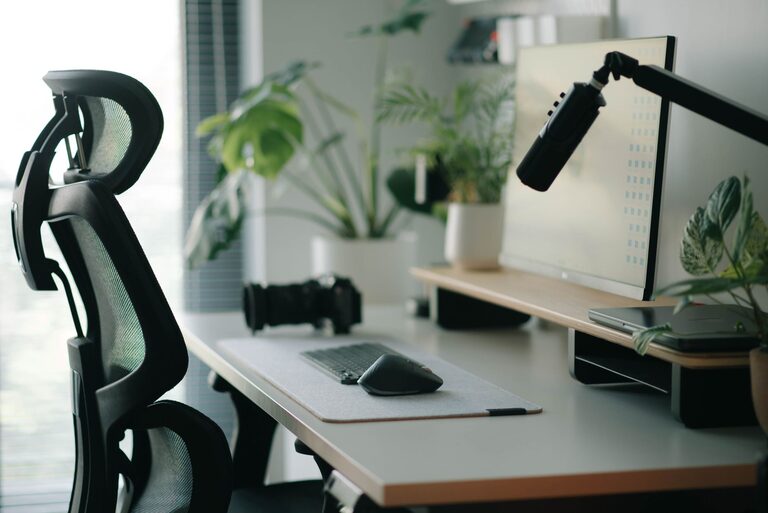
Creating a desk setup that promotes both focus and comfort can transform your workday. Whether you work from home, study, or simply need a dedicated space for projects, a thoughtfully arranged workspace helps reduce distractions and physical strain. This guide offers practical tips to optimize your desk setup so you can stay productive and comfortable throughout the day.
Why a Good Desk Setup Matters
A well-organized and ergonomic desk setup does more than just look nice. It supports your body, improves posture, minimizes discomfort, and creates an environment that fosters concentration. In contrast, a cluttered or uncomfortable workspace can lead to fatigue, aches, and difficulty focusing.
Choosing the Right Desk and Chair
Desk height and surface
– Desk height: Aim for a desk height where your forearms are parallel to the floor when typing or writing. This is usually about 28-30 inches for most people, but adjustable desks are ideal.
– Surface space: Ensure your desk has enough room for your monitor(s), keyboard, mouse, and any other tools you need regularly. Clear space encourages a clutter-free environment.
Ergonomic chair
– Invest in an adjustable chair with good lumbar support.
– Your feet should rest flat on the floor or on a footrest.
– Seat height should allow your knees to be at a 90-degree angle.
– Adjustable armrests help reduce shoulder tension.
Monitor Placement and Lighting
Position your monitor correctly
– Place your monitor directly in front of you about an arm’s length away.
– The top of the screen should be at or slightly below eye level to prevent neck strain.
– If using dual monitors, position them close together and at the same height.
Optimize lighting
– Use natural light whenever possible but avoid direct glare on your screen.
– Consider a desk lamp with adjustable brightness and color temperature to reduce eye strain.
– Avoid harsh overhead lighting by supplementing with softer task lighting.
Organizing Your Workspace for Focus
Declutter regularly
– Keep only essential items on your desk.
– Use cable organizers to manage cords and prevent tangles.
– Store papers and supplies in drawers or organizers.
Use organizers and storage solutions
– Desk trays, file holders, and drawer organizers help keep items in their place.
– Label containers for quick access.
– Keep frequently used items within arm’s reach, and move less-used items further away.
Tips for Personalized Comfort
Add ergonomic accessories
– A keyboard tray can help align your wrists properly.
– A mousepad with wrist support reduces strain.
– A footrest can improve circulation if your feet don’t comfortably reach the floor.
Adjust room temperature and air quality
– Maintain a comfortable temperature to stay alert and focused.
– Use a small fan or air purifier if necessary for fresh air circulation.
Incorporate plants and personal touches
– Adding greenery can improve mood and reduce stress.
– Personalize your space with items that inspire but don’t distract.
Breaks and Movement
– Set reminders to stand, stretch, or take short walks every hour.
– Change your posture often to avoid stiffness.
– Consider a sit-stand desk if possible to alternate working positions.
Final Thoughts
A desk setup tailored for focus and comfort doesn’t require expensive equipment or a large space. By paying attention to ergonomics, lighting, organization, and personal comfort, you can create a workspace that supports your well-being and productivity. Regular adjustments and mindful habits will help maintain an ideal environment over time.
Start with small changes and observe how they improve your workday. Your body and mind will thank you for it!